[Spring Boot] H2 설치, Spring Boot H2 연결
H2란?
- Java로 작성된 오픈소스 RDBMS
- 스프링 부트가 지원하는 인메모리 관계형 데이터베이스
- 인메모리로 띄울 경우 애플리케이션을 재시작할 때마다 초기화
- 별도의 설치 필요 없음
- 로컬 환경, 테스트 환경에서 많이 사용
H2 설치
https://www.h2database.com/html/main.html 에서 Download All Platforms를 클릭한다.
H2 Database Engine
H2 Database Engine Welcome to H2, the Java SQL database. The main features of H2 are: Very fast, open source, JDBC API Embedded and server modes; in-memory databases Browser based Console application Small footprint: around 2.5 MB jar file size Supp
www.h2database.com

압축을 푼 h2 파일을 홈 디렉토리에 옮겨주었다.
압축을 풀고 bin 디렉토리 아래의 h2.bat 또는 h2w.bat을 실행하면 H2 데이터베이스가 서버 모드로 실행된다.
Unix 계열은 h2.sh 를 실행한다.
cd h2/bin
chmod 755 h2.sh	# h2 실행파일에 권한 부여
./h2.sh	# 실행파일 실행
터미널에 마지막 명령어를 입력하면 왼쪽과 동일한 화면이 나온다
간혹 화면이 안뜨고 빈 화면이 뜨는 경우가 있는데 포트번호 앞에 있는 IP를 localhost 로 바꿔서 입력해준다.
H2 데이터베이스 생성
h2 1.4.198 이후 버전부터는 보안 문제로 데이터베이스가 자동 생성되지 않기 때문에 데이터베이스를 직접 생성해야 한다.
그냥 연결하려고 하면 Database not found, either pre-create it or allow remote database creation (not recommended in secure environments) [90149-200] 90149/90149 에러가 발생한다.
JDBC URL을
jdbc:h2:~/test
로 바꾸면 사용자 계정 디렉토리에 test.mv.db 파일이 생성이 된다.
데이터베이스 이름은 test가 아닌 원하는 다른것으로 바꿔도 된다.
파일이 생성된 이후부터는 JDBC URL을
jdbc:h2:tcp://localhost/~/test
로 접근을 한다. 이렇게 접근하게 되면 파일에 직접 접근을 하는것이 아닌 TCP 소켓을 통해 접근해 애플리케이션과 웹 콘솔이 동시에 접근했을 때 오류가 발생하지 않는다.
Spring Boot와 연결
runtimeOnly 'com.h2database:h2'build.gradle 파일에 h2 의존성을 추가한다.
spring:
  h2:
    console:
      enabled: true
      path: /h2-console

  datasource:
    driver-class-name: org.h2.Driver
    url: jdbc:h2:tcp://localhost/~/chaewsstoretest
    username: sa

  jpa:
    hibernate:
      ddl-auto: update
    show-sql: true
resource 디렉토리 하위에 존재하는 application.yml(application.properties) 파일에 위 설정을 적용한다.
path의 경우 기본적으로 /h2-console로 적용되어 있기 때문에 원하는 경로가 있을 경우 해당 경로로 설정하면 된다.
Run 후
http://localhost:{포트번호}/h2-console 에 접속하면 아래와 같은 formLogin 화면이 나온다.
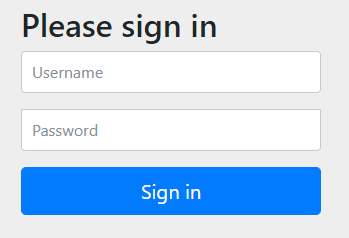
로그인에 필요한 정보는 기본적으로
Username: user
Password: 패스워드는 스프링부트가 실행될 때 콘솔창에 아래와 같이 비밀번호 로그가 출력된다.
Using generated security password: 05d55648-2059-410c-a137-ba981383fa9a
계정 정보를 변경하고 싶을 경우 아래와 같이 간단하게 변경할 수 있다.
spring:
  security:
    user:
      name: user
      password: mypassword
이렇게 application.yml 에 추가 후 재실행하면 작성한 계정정보를 통해 로그인할 수 있다.
그 후 다시 http://localhost:{포트번호}/h2-console 에 접속하면
잘 연결되면 다행이겠지만...

A file path that is implicitly relative to the current working directory is not allowed in the database URL "jdbc:h2:mem". Use an absolute path, ~/name, ./name, or the baseDir setting instead. [90011-214] 90011/90011 (Help)
ErrorCode
CONNECTION_BROKEN_1 public static final int CONNECTION_BROKEN_1 The error with code 90067 is thrown when the client could not connect to the database, or if the connection was lost. Possible reasons are: the database server is not running at the given por
h2database.com
이런 오류가 뜬다. ^^;;
해결책은 스택오버플로우에서 찾을 수 있었는데
https://stackoverflow.com/questions/58585758/unable-to-connect-h2-db-with-hibernate
Unable to connect H2 DB with Hibernate
I am trying to create a small H2 in-memory database while using hibernate. But the table is not dispplayed in the H2 UI. I'm not sure if I need to include anything else in the configuration. Here ...
stackoverflow.com
스프링부트가 실행될 때 콘솔창에 아래와 같이 H2 콘솔에 접근가능한 JDBC url이 나온다.

JDBC url에 jdbc:h2:mem:d3dc9c56-b4f5-45ff-b302-1872f65df1b2 을 넣어주면 진입에 성공한다.
❗️H2-Console Connect 시에 Forbin 403 발생 오류
나의 경우 console에 접속하면 Whitelabel Error Page 가 나왔다.

해당 오류는 깃허브 이슈에서 찾을 수 있었는데
https://github.com/jojoldu/freelec-springboot2-webservice/issues/535
[오류] p.117 H2-Console 접속하고 Connect 시에 Forbin 403 발생합니다. · Issue #535 · jojoldu/freelec-springboot2-w
기존에 올라온 질문이 아닌지 먼저 검색해주세요! 가장 자주 나온 제보 P.105 @PutMapping("/api/v1/posts") P.111 Posts.update 어떤 오류인가요? 오류설명: http://localhost:8080/h2-console 접속 후 Connect 시에 Whitelabel
github.com
내가 403 이슈가 날 수 있는 코드 작업을 하기 전에 H2 연결을 시도해서 발생했던 오류였다.
build.gradle의 Spring Security 관련된 라이브러리들을 다 제거했더니 H2 페이지를 볼 수가 있었다.